The toolbar
Introduction
The toolbar allows you to access functions at any time with the mouse.

To use the toolbar commands, select a block from the composition and click on the desired command. 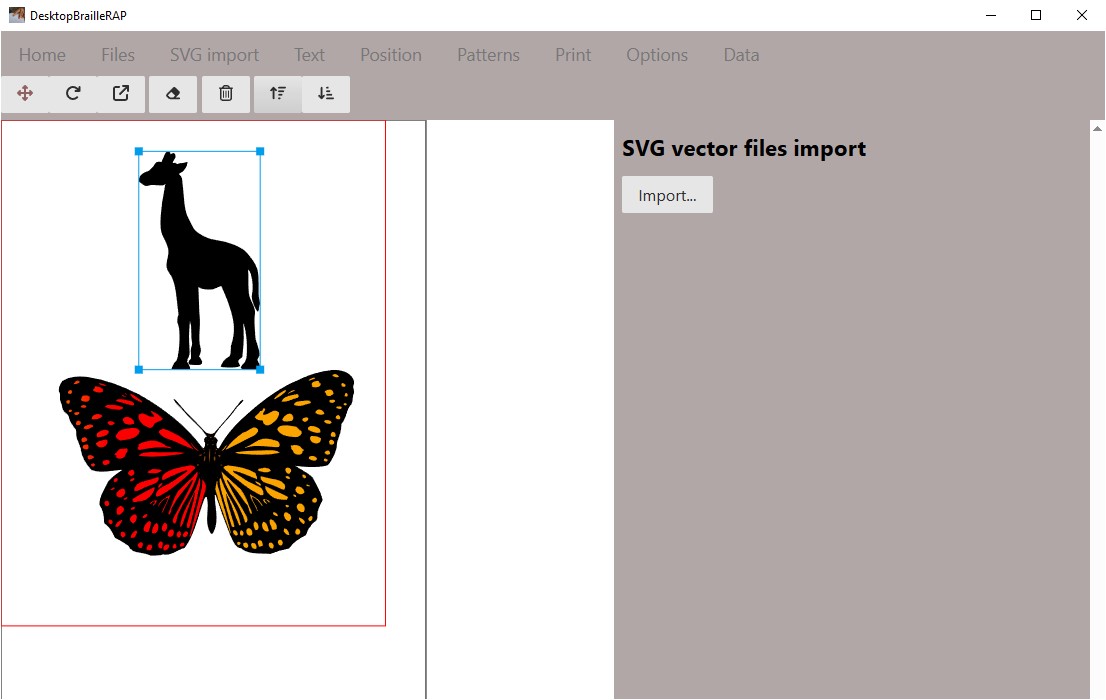
Features
Composition formatting
The command  allows you to move the selected block with the mouse.
The command  allows you to rotate the selected block with the mouse.
The command  allows you to modify the scale of the selected block with the mouse.
Block deletion
The command  allows you to delete the selected block.
Creating empty composition
The command  allows you to create a new composition. Note that all unsaved changes will be lost.
Front / Back
The commands  and
and  allow you to move the selected block to the front or back of the composition.
Distribution and alignment
The command  aligns the selected elements to the left. \The command
  centers the elements vertically. \The command
  aligns the selected elements to the right. \The command
  aligns the selected elements upwards. \The command
  centers the elements horizontally. \The command
  aligns the selected elements downwards.
The command  allows you to distribute the elements vertically. \The command
  allows you to align the elements horizontally.